A great guide to installing and using NetBeans
If you feel adventurous, you can set up your own IDE development environment such as NetBeans, Eclipse, or even work directly with the JDK from the command line. Please be aware that if you download and install software on your own computer, you will be responsible for resolving any installation or troubleshooting issues. Installing your own Java development environment can be an excellent pedagogical tool but ONLY if you are willing to manage your own support.
That being said, if you do feel ambitious, here are two helpful videos showing how to download and run NetBeans for Java:
Install the Java Development Kit (JDK):
Go to the Oracle JDK Downloads page or use Adoptium Temurin for an open-source alternative.
Download the latest JDK version for your operating system (Windows, macOS, Linux).
Run the installer and follow the prompts (defaults are fine).
Download and Install NetBeans IDE:
Visit the Apache NetBeans Download page.
Choose the installer for your operating system (Windows .exe, macOS .dmg, or Linux .deb/.rpm).
Run the installer and follow the instructions.
Launch NetBeans:
Start the NetBeans IDE from your Start menu (Windows), Applications folder (macOS), or from the terminal/desktop launcher (Linux).
Create your first Java project:
Go to File → New Project.
Choose Java → Java Application.
Name your project and click Finish.
| STEP | ACTION |
|---|---|
| 1. Install JDK | Download and install the latest JDK (Oracle or Adoptium). |
| 2. Install NetBeans | Download the standalone NetBeans IDE installer. |
| 3. Launch IDE | Open NetBeans and create a new Java Application project. |

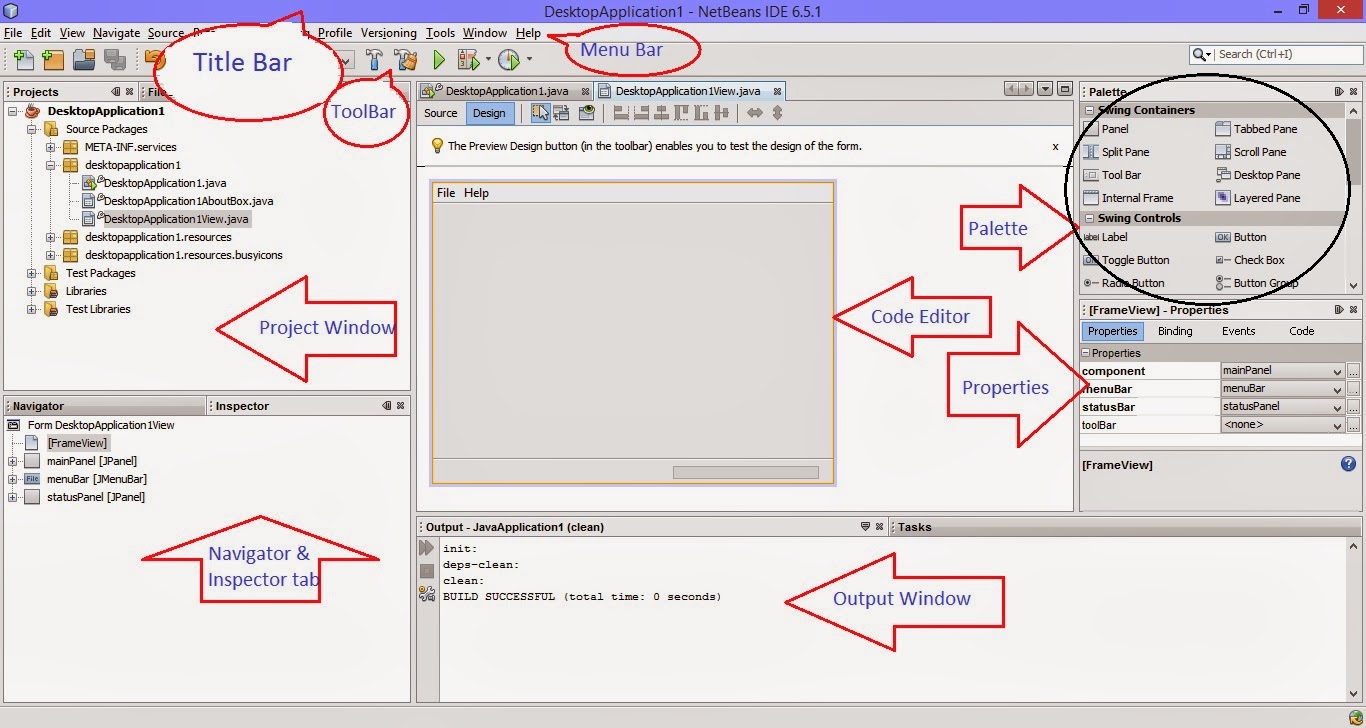
Properties->Run to set main class
scan.nextInt() doesn't flush buffer so issue a scan.nextLine() after it
sout and hit TAB for System.out.println();
psvm and hit TAB for public static void main(String args[]) {}
ImageIcon fillingIcon = new ImageIcon(getClass().getClassLoader().getResource("filling.jpg"));
to do it in a package independent way (in a static method, use
CLASSNAME.class. instead of getClass().).
CTRL-SPACE in order to do code completion.
In order to have code completion occur automatically as you type, you
can go to Tools -> Options -> Editor -> Code Completion, choose Java
as your Language, and then check the Auto Popup on Typing Any Java Identifier Part checkbox.
If you further set the Completion Selectors to [.,;:([+-=] (note the
extra space at the end), you will get completion for both variables
and methods, as well.